
I have spent a lot of years watching companies build the same integration over and over again. Someone at HubSpot builds the Salesforce connector. Someone at Salesforce builds the HubSpot connector. Someone at a systems integrator builds a third version for a client who does not trust either. Zapier builds a fourth. Make builds a fifth. Every one of them is doing the same fundamental thing: taking a call to one API, catching its response, and feeding the useful parts of that response into a call to another API. That is the entire job. And we keep shipping it as code, as installable apps, as certified connectors, as line items in a marketplace.
I want to make an argument I have been circling for a while: you should not have to build integrations anymore. You should describe them. And the specification for describing them already exists—it is Arazzo, the workflow member of the OpenAPI family.
The Integration Was Always Just Two Ends and a Wire
Strip an integration down to what it actually is. You have two APIs. Each one already describes itself with OpenAPI—its operations, its parameters, its request and response shapes, its authentication. That is one end of the wire, fully specified. The other API does the same. Both ends are already documents.
What has been missing is the wire itself—a portable, machine-readable description of the sequence: call this operation, capture that field from the response, pass it as an input to this next operation, check that it succeeded, and hand back these outputs. That is not code. That is a contract. And that contract is exactly what Arazzo was designed to hold. It references real operationIds in real OpenAPI specs through its sourceDescriptions, and it stitches them into steps with success criteria and outputs wired between them.
Once you see it that way, the connector app starts to look like a lot of ceremony wrapped around a very small idea.
So I Rebuilt an Integrations Page
To make this concrete instead of theoretical, I took the most popular listings from the HubSpot App Marketplace—Salesforce, Mailchimp, Slack, Stripe, Typeform, Google Sheets, Zendesk, SendGrid—and I rebuilt each one as an Arazzo workflow. Not a mockup. Each file references the real, published OpenAPI for both ends, and every single step calls an operationId I verified actually exists in that spec.
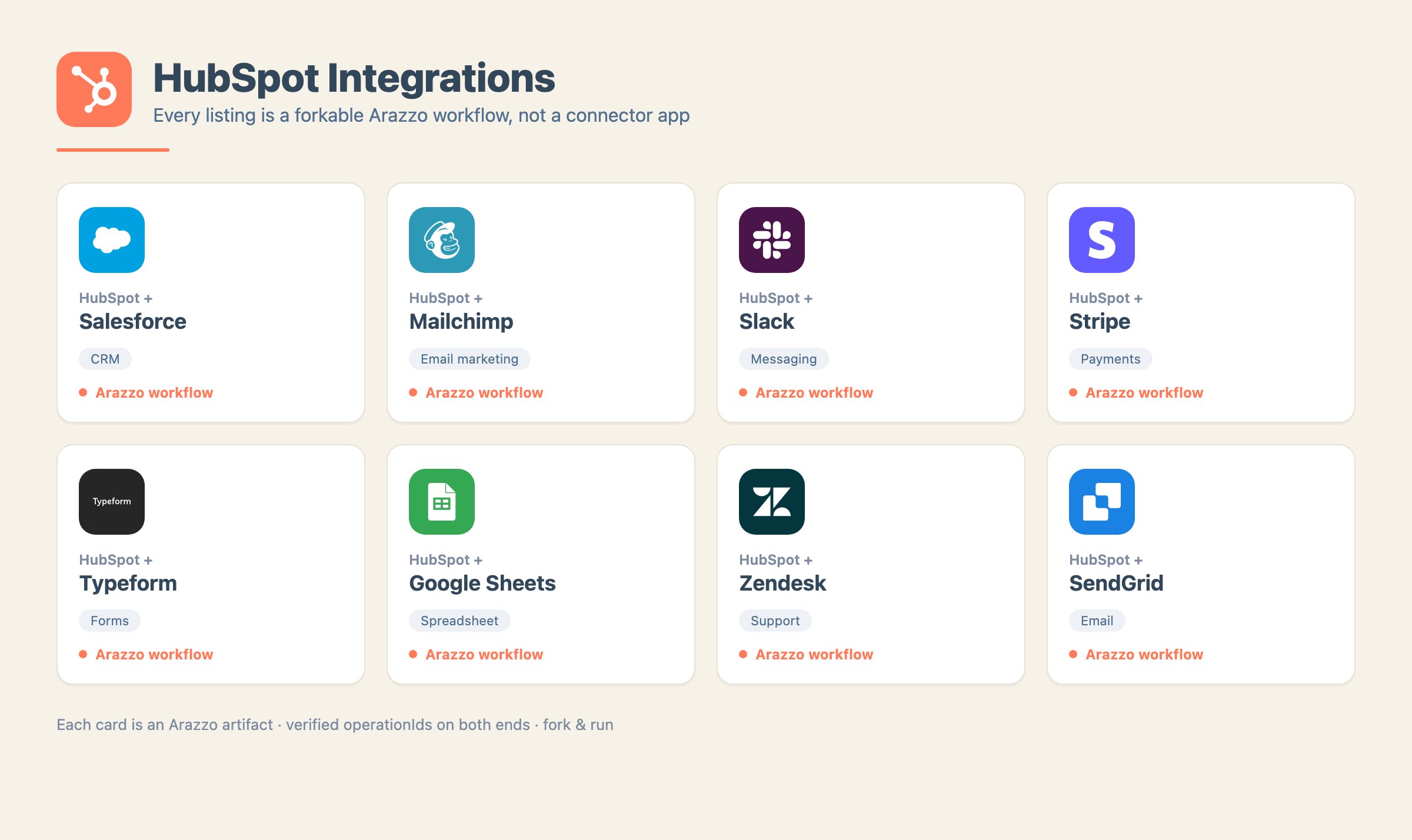
Here is the whole set at a glance:
- HubSpot + Salesforce — query a contact in Salesforce, mirror it into the HubSpot CRM.
- HubSpot + Mailchimp — create a HubSpot contact, subscribe them to a Mailchimp audience.
- HubSpot + Slack — create a HubSpot deal, post a real-time notification to a Slack channel.
- HubSpot + Stripe — create a Stripe customer, sync it into HubSpot as a contact.
- HubSpot + Typeform — resolve the Typeform form behind a submission, create a HubSpot contact.
- HubSpot + Google Sheets — create a HubSpot contact, append it as a row in a sheet.
- HubSpot + Zendesk — create a HubSpot contact, open a Zendesk support ticket for them.
- HubSpot + SendGrid — create a HubSpot contact, add them to a list, send a welcome email.
The sourceDescriptions in every workflow point at public specs on raw.githubusercontent.com, so the files resolve and validate anywhere—nothing in them is private to me. You can open the workflow, read the whole integration top to bottom in a couple hundred lines of YAML, change the inputs, and run it through an Arazzo engine. There is no black box. There is no “install.” There is a document you fork. They all live in the HubSpot integrations folder in the API Evangelist network, and I have pasted every one of them in full below.
The Eight Workflows, in Full
I want you to be able to read the whole argument as text, so here is each integration exactly as it ships—the entire Arazzo document, nothing elided.
HubSpot + Salesforce
Query a contact from Salesforce with SOQL, then mirror it into the HubSpot CRM.
arazzo: 1.0.1
info:
  title: Salesforce to HubSpot Contact Mirror
  summary: Query a Salesforce contact, then mirror it into HubSpot CRM.
  description: >-
    A cross-provider workflow that reads a contact from Salesforce using a SOQL
    query and mirrors that record into HubSpot as a new contact. Demonstrates
    keeping two CRMs aligned by copying a record of truth from Salesforce into
    HubSpot for teams that operate across both systems.
  version: 1.0.0
sourceDescriptions:
  - name: salesforceRestApi
    url: https://raw.githubusercontent.com/api-evangelist/salesforce/refs/heads/main/openapi/salesforce-rest-api-openapi.yml
    type: openapi
  - name: hubspotContactsApi
    url: https://raw.githubusercontent.com/api-evangelist/hubspot/refs/heads/main/openapi/hubspot-crm-contacts-api-openapi.yml
    type: openapi
workflows:
  - workflowId: salesforce-to-hubspot-mirror
    summary: Query a Salesforce contact, then create it in HubSpot.
    description: >-
      Runs a SOQL query against Salesforce to find a contact by email, then
      creates a mirrored contact record in HubSpot carrying the same email and
      name properties.
    inputs:
      type: object
      properties:
        email:
          type: string
        firstName:
          type: string
        lastName:
          type: string
    steps:
      - stepId: query-salesforce
        description: Query Salesforce for the source contact by email.
        operationId: $sourceDescriptions.salesforceRestApi.executeQuery
        parameters:
          - name: q
            in: query
            value: SELECT Id, FirstName, LastName, Email FROM Contact WHERE Email = ':email'
        successCriteria:
          - condition: $statusCode == 200
        outputs:
          totalSize: $response.body#/totalSize
      - stepId: create-hubspot-contact
        description: Mirror the contact into HubSpot CRM.
        operationId: $sourceDescriptions.hubspotContactsApi.createContact
        requestBody:
          contentType: application/json
          payload:
            properties:
              email: $inputs.email
              firstname: $inputs.firstName
              lastname: $inputs.lastName
        successCriteria:
          - condition: $statusCode == 201
        outputs:
          hubspotId: $response.body#/id
    outputs:
      totalSize: $steps.query-salesforce.outputs.totalSize
      hubspotId: $steps.create-hubspot-contact.outputs.hubspotId
HubSpot + Mailchimp
Create a HubSpot contact, then subscribe them to a Mailchimp audience with merge fields carried across.
arazzo: 1.0.1
info:
  title: HubSpot Contact to Mailchimp Subscribe
  summary: Create a HubSpot contact, then subscribe them to a Mailchimp list.
  description: >-
    A cross-provider workflow that creates a new contact in the HubSpot CRM and
    then adds that same person as a subscribed member of a Mailchimp audience
    list. Demonstrates syncing a newly captured CRM contact into an email
    marketing audience for ongoing campaigns.
  version: 1.0.0
sourceDescriptions:
  - name: hubspotContactsApi
    url: https://raw.githubusercontent.com/api-evangelist/hubspot/refs/heads/main/openapi/hubspot-crm-contacts-api-openapi.yml
    type: openapi
  - name: mailchimpMarketingApi
    url: https://raw.githubusercontent.com/api-evangelist/mailchimp/refs/heads/main/openapi/mailchimp-marketing-api-openapi.yml
    type: openapi
workflows:
  - workflowId: hubspot-contact-to-mailchimp-member
    summary: Create a HubSpot contact, then add them to a Mailchimp list.
    description: >-
      Creates a HubSpot contact with email and name properties, captures the
      contact id, then subscribes the same email address to a Mailchimp audience
      list with merge fields carried across from the CRM record.
    inputs:
      type: object
      properties:
        email:
          type: string
        firstName:
          type: string
        lastName:
          type: string
        listId:
          type: string
    steps:
      - stepId: create-contact
        description: Create a new contact record in HubSpot CRM.
        operationId: $sourceDescriptions.hubspotContactsApi.createContact
        requestBody:
          contentType: application/json
          payload:
            properties:
              email: $inputs.email
              firstname: $inputs.firstName
              lastname: $inputs.lastName
        successCriteria:
          - condition: $statusCode == 201
        outputs:
          contactId: $response.body#/id
      - stepId: subscribe-member
        description: Subscribe the contact to a Mailchimp audience list.
        operationId: $sourceDescriptions.mailchimpMarketingApi.postListsIdMembers
        parameters:
          - name: list_id
            in: path
            value: $inputs.listId
        requestBody:
          contentType: application/json
          payload:
            email_address: $inputs.email
            status: subscribed
            merge_fields:
              FNAME: $inputs.firstName
              LNAME: $inputs.lastName
        successCriteria:
          - condition: $statusCode == 200
        outputs:
          memberId: $response.body#/id
          memberStatus: $response.body#/status
    outputs:
      contactId: $steps.create-contact.outputs.contactId
      memberId: $steps.subscribe-member.outputs.memberId
      memberStatus: $steps.subscribe-member.outputs.memberStatus
HubSpot + Slack
Create a HubSpot deal, then post a real-time notification to a Slack channel.
arazzo: 1.0.1
info:
  title: HubSpot Deal to Slack Notification
  summary: Create a HubSpot CRM deal and announce it in a Slack channel in real time.
  description: >-
    Replicates the HubSpot App Marketplace "Slack" integration behavior of
    sending real-time notifications when a CRM record is created. This workflow
    creates a new deal in the HubSpot CRM, captures the resulting deal id, and
    then posts a message to a Slack channel via chat.postMessage announcing the
    newly created deal.
  version: 1.0.0
sourceDescriptions:
  - name: hubspotDealsApi
    url: https://raw.githubusercontent.com/api-evangelist/hubspot/refs/heads/main/openapi/hubspot-crm-deals-api-openapi.yml
    type: openapi
  - name: slackWebApi
    url: https://raw.githubusercontent.com/api-evangelist/slack/refs/heads/main/openapi/slack-chat-openapi.yml
    type: openapi
workflows:
  - workflowId: hubspot-deal-to-slack
    summary: Create a HubSpot deal, then notify a Slack channel about it.
    description: >-
      A two-step, cross-provider integration. The first step creates a deal in
      the HubSpot CRM using the supplied deal properties and captures the new
      deal id. The second step posts a Slack message to the target channel
      announcing that the deal was created.
    inputs:
      type: object
      properties:
        dealname:
          type: string
          description: Name of the deal to create in HubSpot.
        amount:
          type: string
          description: Monetary amount for the deal.
        pipeline:
          type: string
          description: HubSpot pipeline id the deal belongs to.
        dealstage:
          type: string
          description: HubSpot pipeline stage id for the deal.
        slackToken:
          type: string
          description: Slack authentication token with chat:write scope.
        slackChannel:
          type: string
          description: Slack channel id or name to post the notification to.
        slackText:
          type: string
          description: Message text to post to Slack.
    steps:
      - stepId: create-hubspot-deal
        description: Create a new deal record in the HubSpot CRM.
        operationId: $sourceDescriptions.hubspotDealsApi.createDeal
        requestBody:
          contentType: application/json
          payload:
            properties:
              dealname: $inputs.dealname
              amount: $inputs.amount
              pipeline: $inputs.pipeline
              dealstage: $inputs.dealstage
        successCriteria:
          - condition: $statusCode == 201
        outputs:
          dealId: $response.body#/id
      - stepId: post-slack-notification
        description: Post a Slack message announcing the newly created deal.
        operationId: $sourceDescriptions.slackWebApi.postChatPostmessage
        parameters:
          - name: token
            in: header
            value: $inputs.slackToken
        requestBody:
          contentType: application/json
          payload:
            channel: $inputs.slackChannel
            text: $inputs.slackText
        successCriteria:
          - condition: $statusCode == 200
        outputs:
          messageTs: $response.body#/ts
          ok: $response.body#/ok
    outputs:
      dealId: $steps.create-hubspot-deal.outputs.dealId
      slackMessageTs: $steps.post-slack-notification.outputs.messageTs
      slackOk: $steps.post-slack-notification.outputs.ok
HubSpot + Stripe
Create a customer in Stripe, then sync it into HubSpot as a CRM contact so billing and CRM stay aligned.
arazzo: 1.0.1
info:
  title: Stripe Customer to HubSpot Contact Sync
  summary: Create a Stripe customer, then sync it into HubSpot as a CRM contact.
  description: >-
    Replicates the HubSpot App Marketplace Stripe integration that synchronizes
    payment and customer data between Stripe and HubSpot. A new billing customer
    is created in Stripe, its customer id is captured, and a matching contact is
    created in the HubSpot CRM carrying the same email so payment and CRM records
    stay aligned.
  version: 1.0.0
sourceDescriptions:
  - name: stripeCustomersApi
    url: https://raw.githubusercontent.com/api-evangelist/stripe/refs/heads/main/openapi/stripe-customers-api-openapi.yml
    type: openapi
  - name: hubspotContactsApi
    url: https://raw.githubusercontent.com/api-evangelist/hubspot/refs/heads/main/openapi/hubspot-crm-contacts-api-openapi.yml
    type: openapi
workflows:
  - workflowId: stripe-customer-to-hubspot-contact
    summary: Provision a Stripe customer and mirror it as a HubSpot contact.
    description: >-
      Takes a person's email and name, creates a customer object in Stripe, and
      then creates a contact in the HubSpot CRM with the same identity so the
      billing customer and CRM contact represent one person across both systems.
    inputs:
      type: object
      properties:
        email: {type: string}
        firstName: {type: string}
        lastName: {type: string}
    steps:
      - stepId: create-stripe-customer
        description: Create a customer record in Stripe.
        operationId: $sourceDescriptions.stripeCustomersApi.postCustomers
        requestBody:
          contentType: application/x-www-form-urlencoded
          payload:
            email: $inputs.email
            name: $inputs.firstName $inputs.lastName
        successCriteria:
          - condition: $statusCode == 200
        outputs:
          stripeCustomerId: $response.body#/id
      - stepId: create-hubspot-contact
        description: Create/sync the contact in HubSpot with the Stripe customer id.
        operationId: $sourceDescriptions.hubspotContactsApi.createContact
        requestBody:
          contentType: application/json
          payload:
            properties:
              email: $inputs.email
              firstname: $inputs.firstName
              lastname: $inputs.lastName
        successCriteria:
          - condition: $statusCode == 201
        outputs:
          contactId: $response.body#/id
    outputs:
      stripeCustomerId: $steps.create-stripe-customer.outputs.stripeCustomerId
      contactId: $steps.create-hubspot-contact.outputs.contactId
HubSpot + Typeform
Resolve the Typeform form behind a submission, then create a HubSpot contact from it.
arazzo: 1.0.1
info:
  title: Typeform Response to HubSpot Contact
  summary: Retrieve a Typeform form and create a HubSpot contact from its submission.
  description: >-
    Replicates the HubSpot App Marketplace "turn Typeform form submissions into
    HubSpot contacts" integration. The workflow first retrieves the referenced
    Typeform form by its identifier, then creates a HubSpot CRM contact using the
    email and name captured from the form submission.
  version: 1.0.0
sourceDescriptions:
  - name: typeformApi
    url: https://raw.githubusercontent.com/api-evangelist/typeform/refs/heads/main/openapi/typeform-openapi.yml
    type: openapi
  - name: hubspotContactsApi
    url: https://raw.githubusercontent.com/api-evangelist/hubspot/refs/heads/main/openapi/hubspot-crm-contacts-api-openapi.yml
    type: openapi
workflows:
  - workflowId: typeform-response-to-hubspot-contact
    summary: Turn a Typeform form submission into a HubSpot contact.
    description: >-
      Looks up the Typeform form referenced by the submission, then creates a
      corresponding HubSpot contact from the submitted email and name. This is
      the integration behind "turn Typeform form submissions into HubSpot
      contacts" from the HubSpot App Marketplace.
    inputs:
      type: object
      properties:
        formId:
          type: string
        email:
          type: string
        firstName:
          type: string
        lastName:
          type: string
    steps:
      - stepId: get-form
        description: Retrieve the Typeform form referenced by the submission.
        operationId: $sourceDescriptions.typeformApi.getForm
        parameters:
          - name: form_id
            in: path
            value: $inputs.formId
        successCriteria:
          - condition: $statusCode == 200
        outputs:
          formIdRef: $response.body#/id
      - stepId: create-contact
        description: Create a HubSpot contact from the form submission.
        operationId: $sourceDescriptions.hubspotContactsApi.createContact
        requestBody:
          contentType: application/json
          payload:
            properties:
              email: $inputs.email
              firstname: $inputs.firstName
              lastname: $inputs.lastName
        successCriteria:
          - condition: $statusCode == 201
        outputs:
          contactId: $response.body#/id
    outputs:
      formIdRef: $steps.get-form.outputs.formIdRef
      contactId: $steps.create-contact.outputs.contactId
HubSpot + Google Sheets
Create a HubSpot contact, then append it as a new row in a Google Sheet.
arazzo: 1.0.1
info:
  title: HubSpot Contact to Google Sheets Row
  summary: Create a HubSpot CRM contact and append it as a row in a Google Sheet.
  description: >-
    Replicates the HubSpot App Marketplace "create or update rows in a Google
    Sheet from HubSpot records" integration. A contact is created in HubSpot
    CRM, then that contact's core fields and generated id are appended as a new
    row to a target Google Sheet range.
  version: 1.0.0
sourceDescriptions:
  - name: hubspotContactsApi
    url: https://raw.githubusercontent.com/api-evangelist/hubspot/refs/heads/main/openapi/hubspot-crm-contacts-api-openapi.yml
    type: openapi
  - name: googleSheetsApi
    url: https://raw.githubusercontent.com/api-evangelist/google-sheets/refs/heads/main/openapi/google-sheets-openapi.yml
    type: openapi
workflows:
  - workflowId: hubspot-contact-to-google-sheets-row
    summary: Create a HubSpot contact, then append it to a Google Sheet.
    description: >-
      Two-step flow that first creates a contact in HubSpot CRM and captures
      its id, then appends the email, first name, last name, and contact id as
      a new row to the specified Google Sheet range.
    inputs:
      type: object
      properties:
        email: {type: string}
        firstName: {type: string}
        lastName: {type: string}
        spreadsheetId: {type: string}
        range: {type: string}
    steps:
      - stepId: create-contact
        description: Create the contact in HubSpot CRM.
        operationId: $sourceDescriptions.hubspotContactsApi.createContact
        requestBody:
          contentType: application/json
          payload:
            properties:
              email: $inputs.email
              firstname: $inputs.firstName
              lastname: $inputs.lastName
        successCriteria:
          - condition: $statusCode == 201
        outputs:
          contactId: $response.body#/id
      - stepId: append-row
        description: Append the contact as a row in the Google Sheet.
        operationId: $sourceDescriptions.googleSheetsApi.appendValues
        parameters:
          - name: spreadsheetId
            in: path
            value: $inputs.spreadsheetId
          - name: range
            in: path
            value: $inputs.range
          - name: valueInputOption
            in: query
            value: USER_ENTERED
        requestBody:
          contentType: application/json
          payload:
            values:
              - - $inputs.email
                - $inputs.firstName
                - $inputs.lastName
                - $steps.create-contact.outputs.contactId
        successCriteria:
          - condition: $statusCode == 200
        outputs:
          updatedRange: $response.body#/updates/updatedRange
    outputs:
      contactId: $steps.create-contact.outputs.contactId
      updatedRange: $steps.append-row.outputs.updatedRange
HubSpot + Zendesk
Create a HubSpot contact, then open a Zendesk support ticket with that contact as the requester.
arazzo: 1.0.1
info:
  title: HubSpot Contact to Zendesk Support Ticket
  summary: Create a HubSpot CRM contact and open a matching Zendesk support ticket for them.
  description: >-
    Replicates the HubSpot App Marketplace + Zendesk integration that keeps support
    and CRM in sync. This workflow first creates (or records) a customer as a contact
    in the HubSpot CRM, then opens a support ticket in Zendesk on that customer's
    behalf so the CRM record and the support conversation stay connected.
  version: 1.0.0
sourceDescriptions:
  - name: hubspotContactsApi
    url: https://raw.githubusercontent.com/api-evangelist/hubspot/refs/heads/main/openapi/hubspot-crm-contacts-api-openapi.yml
    type: openapi
  - name: zendeskTicketsApi
    url: https://raw.githubusercontent.com/api-evangelist/zendesk/refs/heads/main/openapi/tickets-openapi-original.yml
    type: openapi
workflows:
  - workflowId: hubspot-contact-to-zendesk-ticket
    summary: Create a HubSpot contact, then open a Zendesk support ticket for that contact.
    description: >-
      Given a customer's details and an issue description, create the contact in the
      HubSpot CRM, capture the new contact id, and then open a support ticket in
      Zendesk with the customer set as the requester so support work is linked to the
      CRM record.
    inputs:
      type: object
      properties:
        email:
          type: string
        firstName:
          type: string
        lastName:
          type: string
        subject:
          type: string
        comment:
          type: string
    steps:
      - stepId: create-contact
        description: Create the contact in HubSpot CRM.
        operationId: $sourceDescriptions.hubspotContactsApi.createContact
        requestBody:
          contentType: application/json
          payload:
            properties:
              email: $inputs.email
              firstname: $inputs.firstName
              lastname: $inputs.lastName
        successCriteria:
          - condition: $statusCode == 201
        outputs:
          contactId: $response.body#/id
      - stepId: create-ticket
        description: Open a support ticket in Zendesk for the newly created contact.
        operationId: $sourceDescriptions.zendeskTicketsApi.CreateTicket
        requestBody:
          contentType: application/json
          payload:
            ticket:
              subject: $inputs.subject
              comment:
                body: $inputs.comment
              requester:
                name: $inputs.firstName $inputs.lastName
                email: $inputs.email
        successCriteria:
          - condition: $statusCode == 201
        outputs:
          ticketId: $response.body#/ticket/id
    outputs:
      contactId: $steps.create-contact.outputs.contactId
      ticketId: $steps.create-ticket.outputs.ticketId
HubSpot + SendGrid
Create a HubSpot contact, upsert them into a SendGrid list, then send a welcome email—three steps, three specs.
arazzo: 1.0.1
info:
  title: HubSpot Contact to SendGrid List and Welcome
  summary: Create a HubSpot contact, add to a SendGrid list, then welcome them.
  description: >-
    A cross-provider workflow that creates a contact in HubSpot, upserts that
    person into a SendGrid Marketing Contacts list, and sends them a welcome
    email through the SendGrid Mail Send API. Demonstrates onboarding a new CRM
    contact into both a marketing audience and a first-touch email in one pass.
  version: 1.0.0
sourceDescriptions:
  - name: hubspotContactsApi
    url: https://raw.githubusercontent.com/api-evangelist/hubspot/refs/heads/main/openapi/hubspot-crm-contacts-api-openapi.yml
    type: openapi
  - name: sendgridContactsApi
    url: https://raw.githubusercontent.com/api-evangelist/sendgrid/refs/heads/main/openapi/tsg_mc_contacts_v3.yaml
    type: openapi
  - name: sendgridMailApi
    url: https://raw.githubusercontent.com/api-evangelist/sendgrid/refs/heads/main/openapi/tsg_mail_v3.yaml
    type: openapi
workflows:
  - workflowId: hubspot-contact-to-sendgrid-onboard
    summary: Create a HubSpot contact, upsert to SendGrid, then welcome email.
    description: >-
      Creates a HubSpot contact, upserts the same email into a SendGrid
      Marketing Contacts list, then sends a welcome email through SendGrid Mail
      Send.
    inputs:
      type: object
      properties:
        email:
          type: string
        firstName:
          type: string
        lastName:
          type: string
        listId:
          type: string
        fromEmail:
          type: string
    steps:
      - stepId: create-contact
        description: Create the contact record in HubSpot CRM.
        operationId: $sourceDescriptions.hubspotContactsApi.createContact
        requestBody:
          contentType: application/json
          payload:
            properties:
              email: $inputs.email
              firstname: $inputs.firstName
              lastname: $inputs.lastName
        successCriteria:
          - condition: $statusCode == 201
        outputs:
          contactId: $response.body#/id
      - stepId: add-to-sendgrid
        description: Upsert the contact into a SendGrid Marketing Contacts list.
        operationId: $sourceDescriptions.sendgridContactsApi.UpdateContact
        requestBody:
          contentType: application/json
          payload:
            list_ids:
              - $inputs.listId
            contacts:
              - email: $inputs.email
                first_name: $inputs.firstName
                last_name: $inputs.lastName
        successCriteria:
          - condition: $statusCode == 202
        outputs:
          jobId: $response.body#/job_id
      - stepId: send-welcome
        description: Send a welcome email to the new contact via SendGrid.
        operationId: $sourceDescriptions.sendgridMailApi.SendMail
        requestBody:
          contentType: application/json
          payload:
            personalizations:
              - to:
                  - email: $inputs.email
                subject: Welcome to our community
            from:
              email: $inputs.fromEmail
            content:
              - type: text/plain
                value: You are now subscribed. Watch your inbox for updates.
        successCriteria:
          - condition: $statusCode == 202
        outputs:
          emailStatus: $statusCode
    outputs:
      contactId: $steps.create-contact.outputs.contactId
      jobId: $steps.add-to-sendgrid.outputs.jobId
      emailStatus: $steps.send-welcome.outputs.emailStatus
What a Marketplace Becomes
This is the part I keep sitting with. An integrations marketplace is, when you get honest about it, a moat built out of effort. Its value is that somebody already did the work—wrote the connector, certified it, hosted it, and maintained it—so you do not have to. The listing is a promise that the plumbing is handled and hidden.
When the integration is an Arazzo artifact, that moat quietly drains. The “integration” is now something you can read, diff, version, and fork like any other file. The provider’s job shifts from shipping and certifying connectors to publishing good OpenAPI and a handful of reference workflows. The long tail of “please build a connector for my niche tool” collapses into “here are two specs, here is a workflow that stitches them, edit it.” The people who used to wait months for a connector can author one in an afternoon, and share it as plain text.
I am not claiming this erases the hard parts. Authentication across two providers is still real. Rate limits, pagination, error handling, and long-running steps are still real, and Arazzo has room to describe more of that than most people are using yet. But the default changes. The default stops being “find or build a connector” and becomes “find or fork a workflow.” That is a different economy.
Publish the Workflow, Not the Connector
If you run an API, the takeaway is small and specific. Keep your OpenAPI honest and current, because it is now the load-bearing surface for every integration anyone builds against you. Then publish a few reference Arazzo workflows for the integrations your users actually want—not as marketing, but as forkable starting points. Your integrations page stops being a gallery of apps you had to court and certify, and becomes a directory of workflows anyone can take and adapt.
That is exactly what I did to HubSpot’s page above, and it is the pattern I am going to run across the rest of the API Evangelist network, one producer at a time. The specifications are already in the same family. The contracts on both ends already exist. All that was ever missing was the wire, and we finally have a standard way to describe it. Arazzo workflows are your new integration.